
What is Craneye?
Craneye is software for the crane and heavy-lift industry. There are two sides to it, and it helps to know which one you’re using.
The two sides
1. The ERP — for crane companies. If you own or run a crane fleet, the ERP is where you run the whole business from one screen: your machines, your crew, the jobs you’re doing, the certificates that keep you legal, quotes and invoices, and more. This is the part most of this documentation is about.
2. The Marketplace — for customers who need a crane. If you have a lifting job and need to hire a crane, the Marketplace lets you describe what you need, get matched to suitable machines from crane companies near you, and receive quotes to compare — without phoning around.
What the ERP looks like
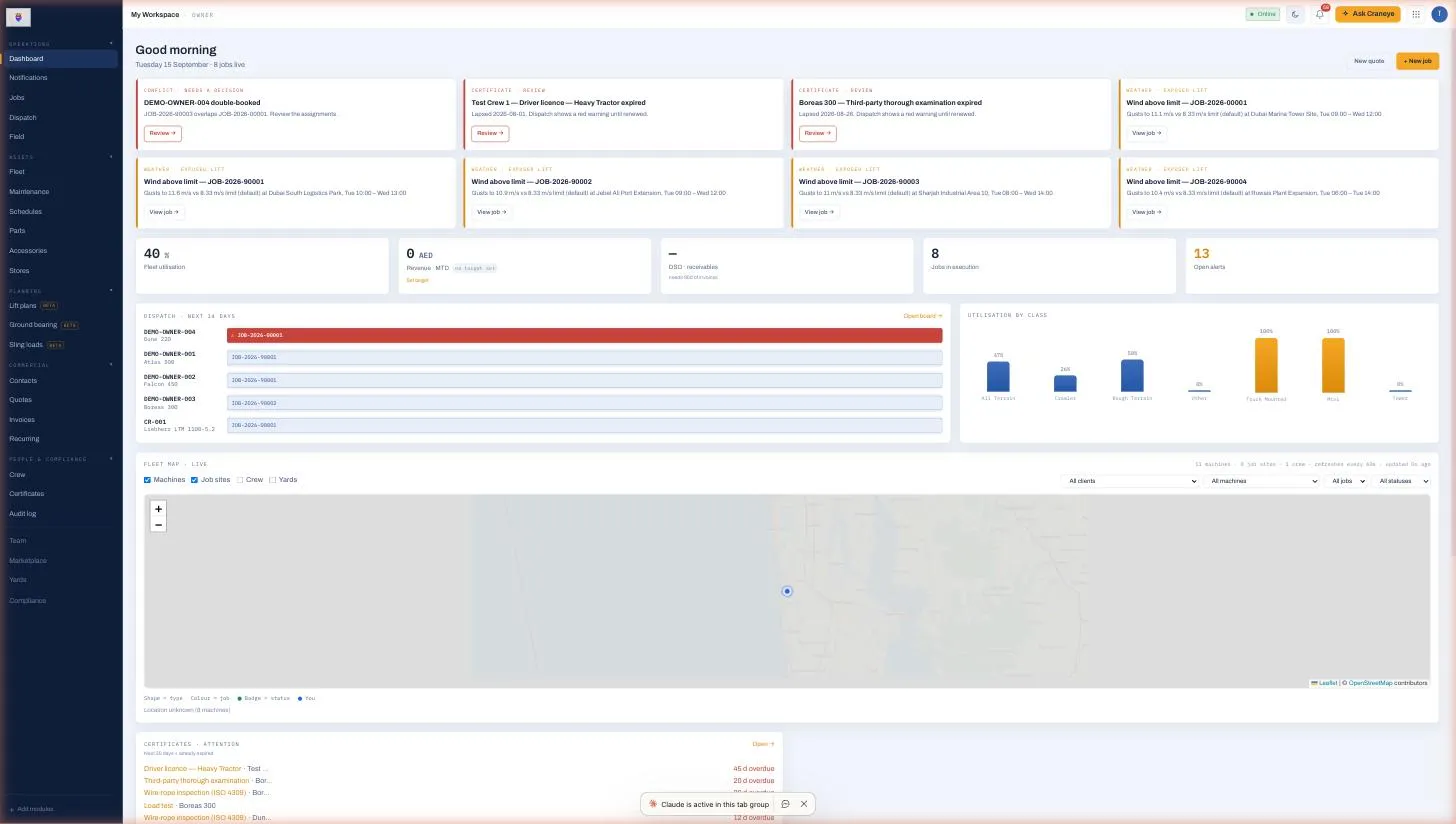
When you sign in to the ERP you’ll see three things: a sidebar on the left (all your tools, grouped into Operations, Assets, Planning, Commercial and People), a top bar with your workspace name and the Ask Craneye assistant, and the main area in the middle showing whatever you’ve opened.
The Dashboard is your home screen — today’s jobs, alerts that need a decision, fleet utilisation, a live map of your machines, and certificates that are about to expire.
How the pieces fit together
A normal day flows roughly like this:
- A customer asks for a crane (directly, or through the Marketplace).
- You send a Quote. When they accept, it becomes a Job.
- You Dispatch a machine and crew to the job — Craneye checks every certificate and permit first (the safety gate).
- The crew work the job from the Field app on their phones.
- You Invoice the customer and get paid.
Everything else — Fleet, Maintenance, Certificates, Lift plans — exists to make those five steps safe and fast.